Just try this $ sudo apt-get install vim $ vim <file name> Exit Commands :wq Write file to disk and quit the editor :q! Quit (no warning) :q Quit (a warning is printed if a modified file has not been saved) Opening a New File Step 1 type vim filename (create a file named filename) Step 2 type i ( switch to insert mode) Step 3 enter text (enter your program) Step 4 hit Esc key (switch back to command mode) Step 5 type :wq (write file and exit vim) Editing the Existing File Step 1 type vim filename (edit the existing file named filename) Step 2 move around the file using h/j/k/l key or any appropriate command h Moves the cursor one character to the left ...
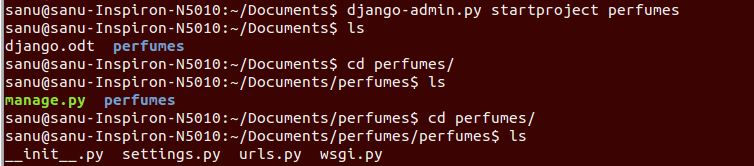
Creating a project From the command line, cd into a directory where you’d like to store your code, then run the following command $ django-admin.py startproject p erfum e s The development server Let’s verify your Django project works. Change into the outer p erfum e s directory, if you haven’t already, and run the following commands: $ python manage.py runserver Creating models To create your app, make sure you’re in the same directory as manage.py and type this command: $ python manage.py startapp p erfum
Comments
Post a Comment